

Key facts
- Samsung's RAM Plus uses 2GB to 8GB of internal storage as virtual memory, with up to 12GB on Ultra models.
- Physical LPDDR5X RAM in flagship Galaxy phones can reach about 51,000 MB/s, while UFS 4.0 storage reaches about 4,200 MB/s on sequential reads.
- Device Care combines physical RAM and RAM Plus into one displayed total, obscuring the performance trade-off.
- 12GB phones can keep 15 to 20 apps loaded, and Android zRAM compresses inactive data in physical RAM.
- RAM Plus was introduced with One UI 4 in late 2021 as a fixed 4GB allocation; a toggle arrived with One UI 5.
- Samsung still enables RAM Plus by default on new Galaxy phones.
- Disabling RAM Plus requires Device Care > Memory and a restart.
- Devices with 4GB or 6GB RAM may still benefit from RAM Plus; devices with 8GB or more generally should turn it off.
A flagship Samsung Galaxy phone stuttering while switching between a messaging app and a browser is a jarring experience. The same device can run demanding games at high settings, so the delay feels out of place. For months, the problem can look like the cost of running a heavy Android skin, too many background apps, or a software bug that a cache wipe or update should fix. In some cases, the cause is a built-in performance feature that Samsung enables by default: RAM Plus.
RAM Plus is Samsung's implementation of virtual memory. It takes between 2GB and 8GB of internal storage, or up to 12GB on Ultra models, and presents it as additional RAM. The concept is similar to a paging file used by desktop operating systems. When physical memory fills up, less-used data can be moved to storage, freeing RAM for active tasks. The idea sounds useful, especially on phones with small memory configurations. The problem is the speed gap between physical RAM and flash storage.
What RAM Plus actually does
Turning phone storage into memory
Flagship Galaxy phones use LPDDR5X memory, which can reach theoretical speeds around 51,000 MB/s. Even the fastest UFS 4.0 storage in Samsung's top-end phones tops out at about 4,200 MB/s on sequential reads. That is already a 12x difference, and latency is worse. Physical memory responds in roughly 10 nanoseconds, while a storage swap can take thousands of times longer. When an app's data has been moved to storage, returning to that app forces the processor to read it back into physical RAM and push something else out. Every app switch that goes through that cycle pays a cost.
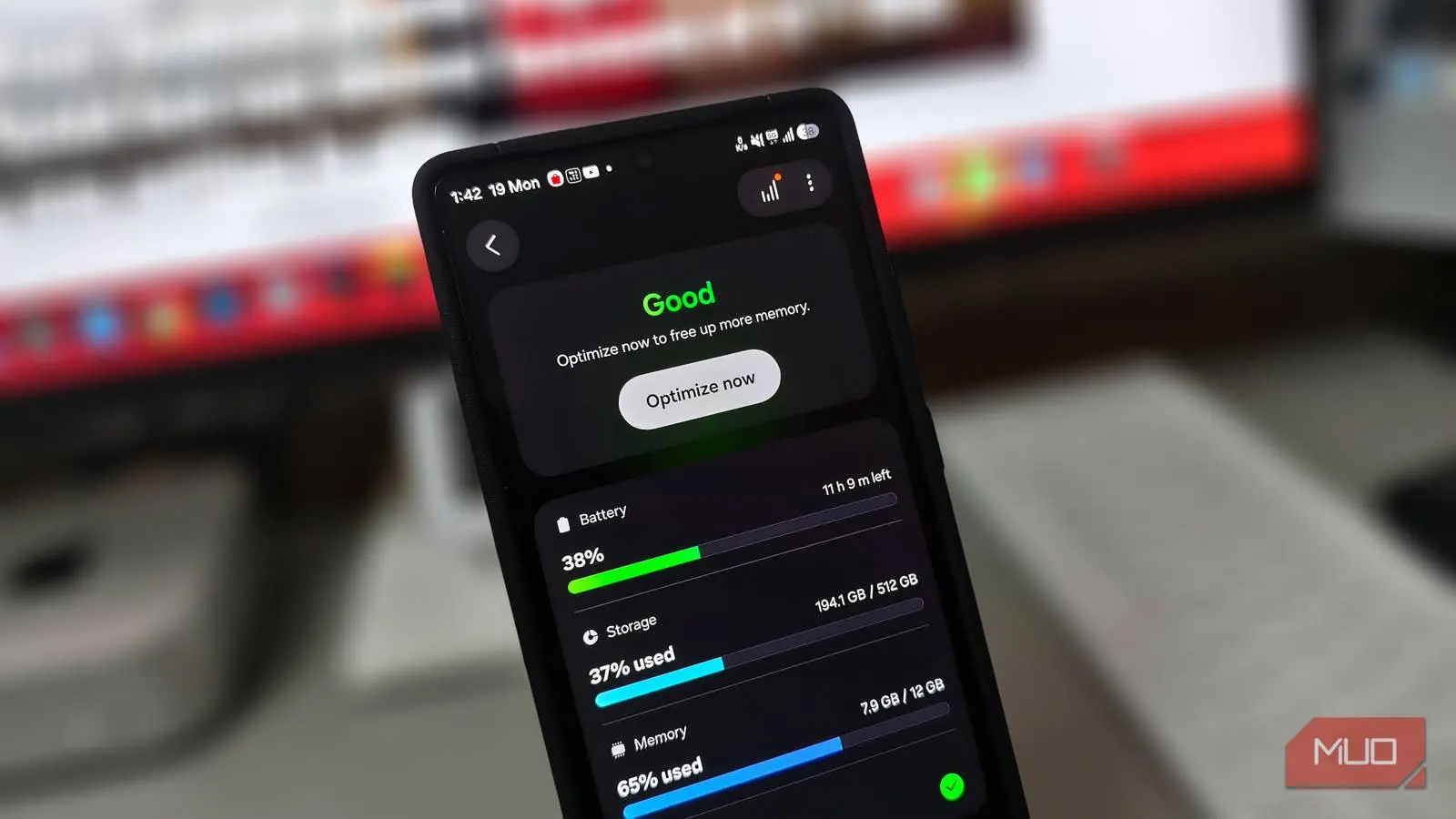
Samsung's interface does not make the trade-off obvious. Device Care combines physical RAM and RAM Plus into a single number. A phone with 12GB of physical RAM and 4GB of RAM Plus displays 16GB as the total. That larger number looks like a feature and implies better multitasking, but it hides the fact that part of the pool is much slower than the rest.
Why extra memory can slow a phone
Flash storage cannot match RAM speeds
A phone with 12GB of physical RAM can keep 15 to 20 apps loaded at once, and Android already manages that workload well. Its built-in zRAM compresses inactive app data directly inside physical RAM, without involving storage. On a device with this much memory, the system rarely runs out of room. RAM Plus adds a slower layer on top of that. Even with zRAM keeping things efficient, Samsung's software may shuffle background app data to flash storage before physical memory is anywhere close to full. Instead of letting the phone use the hardware it already has, the system forces a slower path.
The symptoms can be subtle at first. A photo is captured, and switching to a messaging app to share it causes the app to reload from scratch. The keyboard lags behind the first few taps after the screen wakes. Clearing the cache and installing updates may not change anything. The phone has plenty of fast memory, yet it is still swapping data it did not need to move. That is why the lag can appear on basic tasks while games still run smoothly. Games often keep their working data in the foreground, while everyday multitasking depends on fast app switching and quick resume.
RAM Plus can also affect battery life and storage health. Constantly moving background data on and off flash storage adds write operations. Flash storage has a finite number of write cycles, so virtual memory eats into that limit over time. On a phone kept for three or four years, that kind of disk thrashing can add up. The effect is not usually visible day to day, but it is another reason to avoid unnecessary swapping on devices with enough physical memory.
One toggle and the stutter can disappear
Disabling virtual memory restores real speed
High-end phones run best when the operating system is not stacking extra layers between apps and physical memory. RAM Plus sits under Device Care > Memory, where it reserves internal storage as a swap file. Turning it off prompts a restart, because the system cannot reconfigure memory while Android is still running. Once the phone boots again, that storage is free, and the interface lag can vanish. App switching feels more immediate, keyboards keep up with typing, and apps are less likely to reload when returning to them.
Samsung did not always make this easy. When RAM Plus first arrived with the One UI 4 update in late 2021, the system forced a permanent 4GB allocation with no built-in way to disable it. Enthusiasts had to connect the phone to a computer and run developer commands in a terminal. It was not until One UI 5, after widespread complaints about stuttering on high-end devices, that Samsung added a proper on and off toggle. The company heard the feedback and gave users a way out, yet it still ships the feature enabled by default on every new Galaxy phone.
The default makes sense from a marketing perspective. A larger combined memory number is easy to advertise, and virtual memory can help low-memory phones keep an extra app or two alive. But on premium devices, the feature can work against the hardware. A 12GB phone does not need storage-based swap to handle everyday multitasking. The system already has enough physical RAM, and Android's memory management is designed to use it efficiently. Forcing data to storage too early can create the exact kind of hitch that users notice when moving between apps.
Who should actually turn it off
If you have a budget Galaxy with 4GB or 6GB of RAM, keeping RAM Plus on might still make sense. The extra virtual pool can hold one or two more apps alive in the background, and the alternative may be more aggressive app killing. The trade-off is slower resume times, but on a low-memory device, the extra capacity can be more valuable than raw speed. The feature is not useless in every situation; it is a compromise that depends on the hardware.
On any phone with 8GB or more, however, RAM Plus is the first setting worth turning off. Samsung markets the combined number as a feature, a bigger total that implies better multitasking. That number can be the thing slowing the phone down. Devices in this class have enough physical memory to keep many apps loaded, and zRAM can handle temporary pressure without moving data to storage. Disabling RAM Plus gives the operating system a simpler, faster path to the memory it already has.
Users who want to check the setting can open Device Care and look for Memory. The RAM Plus option may appear as a toggle or a menu with size choices. Turning it off requires a restart, and the change is reversible. If performance does not improve, or if apps start closing more often, the feature can be turned back on. The key is to treat RAM Plus as a tool for specific memory configurations rather than an automatic upgrade for every Galaxy phone.
The broader lesson is that more memory is not always faster memory. Virtual memory can prevent crashes when physical RAM is exhausted, but it cannot match the speed of LPDDR5X. On a flagship phone, the bottleneck is rarely the total number shown in Device Care. It is the path that data takes between storage and physical memory. When Samsung moves background data to flash storage before it needs to, the phone pays for that decision in app reloads, keyboard lag, and interface stutter. For users with 8GB or more, disabling RAM Plus is a simple change that lets the hardware run at its natural speed.
Source:MakeUseOf News