

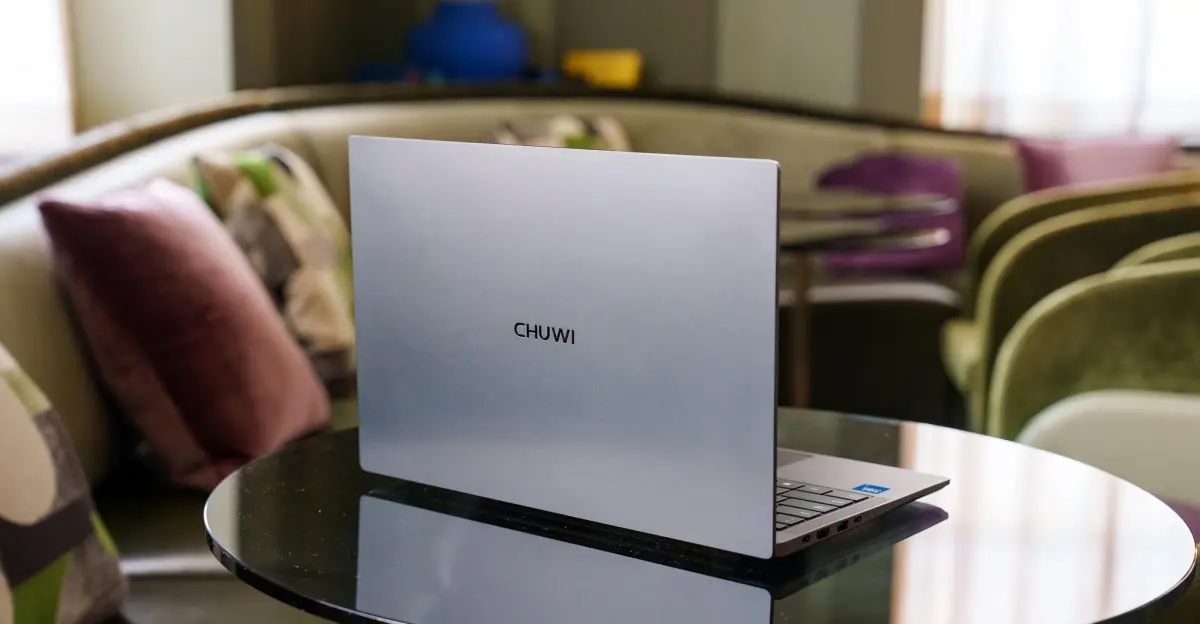
Finding a good laptop under $500 was already difficult before memory prices spiked. These machines often feature cheap hardware, underpowered chips, and compromises that make daily use frustrating. When little-known Chinese brand Chuwi announced a $450 Windows laptop with an aluminum chassis and a brand-new Intel Wildcat Lake processor, it seemed too good to be true. After spending time with the Chuwi UniBook, it turns out that it is.
What the Chuwi UniBook offers for its price
The Chuwi UniBook comes in one configuration: a 14-inch 1920 x 1200 IPS LCD with a 60Hz refresh rate, an Intel Core 3 304 processor, 8GB of soldered LPDDR5 RAM, and a user-swappable 256GB M.2 SSD. The entire package weighs just 2.66 pounds and retails for $449. That price tag puts it well below the MacBook Neo, which starts at $699, and undercuts most mainstream Windows laptops.
The chassis is aluminum, but it feels far from premium. The metal is thin and flexes under pressure, especially around the keyboard deck. The design is simple and clean, but the build quality does not inspire confidence. There is also a single ugly sticker on the palm rest that users will want to remove immediately.
Performance: Wildcat Lake disappoints
Intel's Wildcat Lake platform is aimed at budget machines, and the Core 3 304 is the lowest-end version of that family. It has just five CPU cores: one performance core and four low-power efficiency cores. The integrated graphics are even more limited, with a single GPU core. That is a far cry from the Apple A18 Pro inside the MacBook Neo, which packs six CPU cores and five GPU cores.
In everyday use, the UniBook handles basic web browsing, email, and messaging without constant crashing, but it feels sluggish. Once you open a half-dozen Chrome tabs, a couple of messaging apps, and a music streaming service, memory usage climbs to around 7GB out of 8GB. Pushing further with 20 or more tabs across multiple virtual desktops caused Chrome to crash repeatedly. Even simple tasks like loading the Start menu or opening the calculator app become painful during large file transfers.
Benchmark results confirm how underpowered the chip is. In Geekbench 6, the UniBook scored 2385 in single-core and 6187 in multi-core. The MacBook Neo, by comparison, scored 3402 and 8507 respectively. Graphics performance is even more lopsided: the UniBook managed 6019 in Geekbench 6 GPU, while the MacBook Neo scored 19799. A 4K export test in Adobe Premiere took over one hour and nine minutes on the UniBook; the MacBook Neo completed the same export in eight and a half minutes.
Display, trackpad, speakers, and webcam
Even if performance were acceptable, the UniBook's hardware makes every interaction unpleasant. The 14-inch screen covers only 64 percent of the sRGB color space and peaks at 300 nits of brightness. Colors look washed out, and the panel is hard to see in bright environments.
The trackpad is the worst offender. Its physical click is incredibly stiff, requiring so much pressure that the entire chassis flexes. Tap-to-click works, but executing right-clicks or click-and-drag gestures is a frustrating experience. After extended use, the trackpad leaves your finger tired and your patience thin.
The speakers are a tinny mess. Music sounds hollow and distorted, and the phone in your pocket will almost certainly produce fuller sound. The 720p webcam is only slightly better. In good lighting, it is low-res with a green color cast. In dim or backlit environments, the image turns into a dark blur. Colleagues on video calls will immediately notice something is wrong.
Battery life and ports: the bright spots
There are a few positive aspects. The UniBook easily lasts up to 10 hours on battery during light tasks such as writing emails, casual web browsing, and opening PDFs. That is respectable for a budget laptop.
The keyboard is also decent. It is backlit, which is a genuine advantage over the MacBook Neo, and typing feel is acceptable, though the keys are a bit spongy. Unfortunately, there is no function lock, so adjusting brightness, volume, or media playback always requires holding down the Fn key.
Port selection is unusually generous for a thin-and-light. The UniBook offers five USB ports, HDMI-out, microSD, and an Ethernet jack. That is more connectivity than many larger laptops. However, none of the USB ports exceed 5Gbps, and the HDMI 1.4b output tops out at 4K 30Hz. You get plenty of ports, but none of them are fast.
RAM, SSD, and the memory crunch
The 8GB of soldered RAM is a serious limitation on Windows 11. After a fresh reboot with no apps open, Windows consumes anywhere from 4.6GB to over 5GB of memory. With a handful of apps running, the system is already near its limit. The 256GB SSD is user-replaceable, but the RAM is not upgradable at all.
This is particularly problematic given the current memory shortage, which has driven laptop prices upward. Many budget PCs now come with 8GB of RAM, but Windows 11 does not run comfortably with that amount for anything beyond the lightest workloads. The UniBook's fast SSD, with sustained read speeds of 2394 MB/s and write speeds of 2092 MB/s, helps a bit, but it cannot compensate for the lack of memory and CPU horsepower.
Chuwi's reputation and customer support concerns
Chuwi is not well established in the United States. The company does not appear to have permanent US customer service or repair centers, which means getting a defective unit repaired could be a nightmare. In early 2026, Chuwi was found to have shipped laptops and mini PCs containing older AMD chips disguised as newer, faster ones, even at the BIOS level. The company eventually blamed a "production error" and offered refunds for a limited time, but the incident does little to inspire confidence.
Those concerns are amplified by the UniBook's $449 price. While budget buyers may be tempted, the savings are not worth the risk of poor support and questionable components.
How it compares to other budget laptops
The MacBook Neo remains the laptop to beat in this category. It costs $699, which is $250 more than the UniBook, but it offers dramatically better performance, a much better display, a solid trackpad, and reliable build quality. For many users, the extra money is worth it.
There are also compelling Windows alternatives. The Lenovo IdeaPad Slim 3x, often available around $750, features a Qualcomm Snapdragon X processor, 16GB of RAM, and a 256GB SSD. It delivers far better performance and battery life. The Acer Aspire 14 AI, frequently priced around $600, includes an Intel Core Ultra 7 256V Lunar Lake chip, 16GB of RAM, and a 1TB SSD. It is much faster than the UniBook, has nearly as many ports, and those ports run at higher speeds.
A $500-ish HP OmniBook 3 is also worth considering. Its entry-level Snapdragon X chip has eight cores, and the laptop comes with double the RAM and storage of the Chuwi. It feels like a massive upgrade in everyday use.
The Chuwi UniBook is not a good laptop. It is frustrating to use, poorly built, and backed by a company with questionable practices. The low price is tempting, but buyers get what they pay for. For $150 more, the Acer Aspire 14 AI offers twice the RAM, four times the storage, and a far more capable processor. For $250 more, the MacBook Neo delivers a polished experience that the Chuwi cannot touch. The UniBook does have good battery life and a generous selection of ports, but those positives are not enough to overcome its flaws. Budget laptop shoppers should avoid this one and look elsewhere. The hopes for a great sub-$500 laptop will have to wait for another day.
Source:The Verge News