

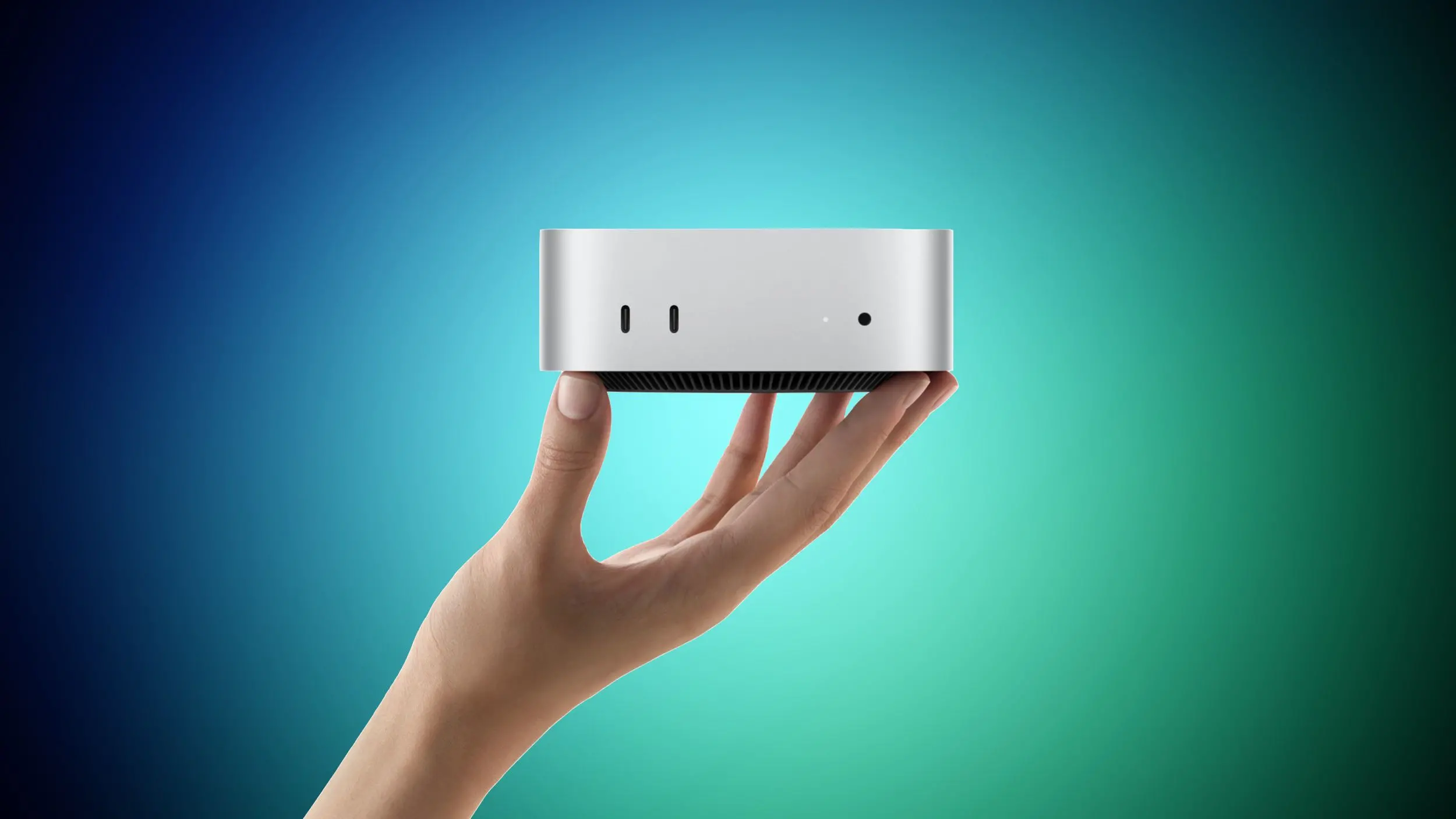
Apple now sells two very different versions of the Mac mini. The company announced the new lineup last week, and both machines can be pre-ordered now ahead of their Tuesday, September 22 launch. The M6 model starts at $899, while the M5 Pro model starts at $1,699. The price difference is $800, and that gap matters more than in previous Mac mini generations because both models start at the highest prices Apple has ever charged for the compact desktop.
What makes this launch different is that Apple is not offering a conventional tiered lineup. The M6 Mac mini contains the company’s newest chip and is the less expensive option. The M5 Pro Mac mini contains a Pro chip introduced earlier this year in the MacBook Pro, and it is the more expensive option. As a result, the two machines are aimed at different audiences rather than different performance levels of the same product.
Key facts
- The M6 Mac mini starts at $899 with a 12-core CPU, a 12-core GPU, 16GB of unified memory, and 256GB of storage.
- The M5 Pro Mac mini starts at $1,699 with a 15-core CPU, a 16-core GPU, 24GB of unified memory, and 512GB of storage.
- The M5 Pro can be configured with up to an 18-core CPU, a 20-core GPU, 64GB of unified memory, and 8TB of storage.
- The M6 model tops out at 32GB of unified memory and 2TB of storage.
- The M6 uses three Thunderbolt 4 ports; the M5 Pro uses three Thunderbolt 5 ports.
- Both models support up to three external displays and include Wi-Fi 7, Bluetooth 6, 2.5Gb Ethernet, USB-C, and a headphone jack.
Shared hardware and design
The two models look identical. They use the same 5.0 by 5.0 inch aluminum enclosure in silver that Apple has used for the Mac mini since 2024. They also share a number of modern components and features. Both have Neural Accelerators in every GPU core, a first for the Mac mini. Both are equipped with Wi-Fi 7 and Bluetooth 6 delivered through the N1 chip, also a first for the device. 2.5Gb Ethernet is standard on both, and a 10Gb Ethernet option is available for people who need faster networking.
On the front, each Mac mini has two USB-C ports and a headphone jack with support for high-impedance headphones. On the rear, each has an HDMI port and can natively drive up to three external displays. Both models also support Genlock over USB-C, which allows a display to be synchronized with a camera such as the iPhone 17 Pro. Apple’s macOS 27 ships on both machines and includes Apple Intelligence and Siri AI.
Why the M6 Mac mini is the right choice for most people
For most buyers, the M6 model is probably the correct choice. It costs significantly less, and it is built around the newest Apple silicon. The M6 uses a 2nm process from TSMC, while the M5 Pro uses the previous 3nm N3P process. Apple says the M6 CPU core is the world’s fastest when it comes to single-threaded performance. That means everyday tasks, web browsing, productivity applications, photo editing, software development, and lighter on-device AI work should feel very responsive.
The M6 also has a Dual 16-core Neural Engine, which Apple says can deliver up to twice the peak compute of the single 16-core Neural Engine in the M5 Pro. For AI inference tasks that rely on the Neural Engine rather than the GPU, the M6 may actually be faster than the more expensive machine. Combined with the newer manufacturing process, the M6 is arguably the more future-proof chip for the majority of desk workflows.
Why choose the M5 Pro Mac mini
Buying the M5 Pro means accepting older silicon, but that trade-off can make sense when your work needs parallel throughput rather than single-core speed. The M5 Pro is built for scale. It offers a 15-core CPU in the standard configuration and can be configured with 18 cores, compared with 12 fixed cores on the M6. GPU options go up to 20 cores, compared with 12. Memory bandwidth is 307GB/s on the M5 Pro, versus 170GB/s on the M6. Those specifications become important for sustained, heavily parallel workloads such as video rendering, 3D and VFX production, large codebase compilation, and scientific simulation.
If your applications can keep all of those CPU and GPU cores busy for long periods of time, the M5 Pro can deliver substantially better performance than the M6. In short, the M6 wins on per-core efficiency and modern feature set; the M5 Pro wins on breadth and raw throughput in enthusiast and professional workflows.
The GPU differences follow a similar pattern. The M6 has a modern 12-core GPU with Dynamic Caching, hardware-accelerated ray tracing, and a 50 percent higher geometry rate. The M5 Pro supports up to a 20-core GPU with an enhanced shader architecture and third-generation ray tracing. The M5 Pro should handle larger rendering loads, while the M6 may be more efficient for lighter graphics tasks.
Memory and storage ceilings are decisive
Perhaps the clearest reason to choose the M5 Pro is the maximum amount of memory and storage available. The M6 Mac mini can be configured with up to 32GB of unified memory. The M5 Pro can be configured with up to 64GB. If you need to run local large language models, edit complex 3D scenes, keep large datasets in memory, or run multiple virtual machines, the M6 simply cannot be configured high enough no matter how much money you spend on it.
Storage is similar. The M6 is limited to 2TB, while the M5 Pro can be configured with up to 8TB. On-device model libraries, high-resolution video files, and large code repositories can easily outgrow the M6’s ceiling. The M5 Pro’s higher storage limits make it the only current Mac mini option for users with enormous local data needs.
Thunderbolt 5 versus Thunderbolt 4
I/O is another hard dividing line. The M6 model has three Thunderbolt 4 ports, while the M5 Pro model has three Thunderbolt 5 ports. Thunderbolt 5 offers twice the bandwidth of Thunderbolt 4, which matters for users attaching high-speed external storage arrays, high-resolution displays, or external GPUs. The M5 Pro’s Thunderbolt 5 ports also enable clustering of multiple Mac mini systems to run large AI models entirely on device. That makes the M5 Pro a more compelling option for people building a small local compute cluster or a development station with fast external SSDs.
Thunderbolt 4 on the M6 is still broadly compatible with existing docks and displays, but it lacks the headroom of Thunderbolt 5 for future professional peripherals.
The upper-end M6 configuration is a trap
One important caution applies to buyers who are considering upgrading the M6 model to reach higher specifications. Adding 32GB of memory and 2TB of storage pushes the M6 Mac mini far beyond its $899 starting price and significantly narrows the price gap to the M5 Pro. At that point, the base M5 Pro configuration is likely to be the smarter purchase for anyone doing professional work. The extra money buys more CPU and GPU cores, higher memory bandwidth, Thunderbolt 5, and higher maximum memory and storage limits. With a fully loaded M6, you are paying for more of the same, whereas the M5 Pro’s entry configuration delivers a fundamentally broader set of capabilities.
For that reason, the M6 is best appreciated in its lower-cost configurations. If you know you need high-end specifications, the M5 Pro is usually the better value once the M6 is configured toward its limits.
Long-term outlook
There are no apparent plans for an M6 Pro chip, so the M5 Pro Mac mini is expected to remain the highest-end option in the compact desktop category until an M7 family arrives in 2027. That means buyers who want Apple’s newest silicon in the smallest Mac can only get it by choosing the $899 M6 model. Buyers who need the highest performance and expandability will have to wait longer for a Mac mini with both a newer-generation processor and a Pro-class feature set.
Until then, the choice is clear. The M6 Mac mini is the best fit for general-purpose computing, light-to-moderate creative work, and users who want the latest chip at a lower price. The M5 Pro Mac mini is the better fit for professionals with sustained parallel workloads, high memory demands, Thunderbolt 5 peripherals, or local AI projects that require serious memory capacity and bandwidth.
Source:MacRumors News