

Your ISP's DNS is probably the weakest link in your connection right now, and there's zero reason to stick with it. But even if you know that, the bigger question is what DNS you should switch to because every option seems to market itself as the fastest and most private.
The honest answer is that no one can tell you which DNS is best for your connection. The only way to actually know is to test them yourself. That's exactly what I did, and the best DNS server wasn't the one I had been using for months.
Why Your ISP's DNS Is a Problem
By default, your devices rely on your ISP's DNS server to translate domain names into IP addresses. This process happens countless times a day, every time you visit a website, stream a video, or check your email. While it works, ISP-provided DNS servers are rarely optimized for speed or privacy. They often suffer from slow response times, especially during peak hours, and they log your browsing activity, which your ISP can sell or use for targeted advertising.
Switching to a third-party DNS server addresses both issues. Providers like Cloudflare, Google DNS, Quad9, NextDNS, AdGuard, and ControlD offer better performance and stronger privacy policies. However, there is no one-size-fits-all solution. DNS performance varies based on your physical location, your ISP's network infrastructure, the time of day, and how well the DNS provider's servers peer with your ISP. A DNS that works perfectly for someone in New York might be painfully slow for someone in London.
The Fastest DNS Isn't the Same for Everyone
It's a common misconception that one DNS server is universally the fastest. Cloudflare's 1.1.1.1, for example, is praised for its speed, but its performance depends on which of its 50+ global nodes your traffic hits. Similarly, Google DNS (8.8.8.8) might be fast in one region but slower in another due to peering agreements. Quad9's 9.9.9.9 prioritizes security, which can add a slight latency penalty, but that trade-off might be worth it for users who value protection over raw speed.
Testing on your own network is essential. I personally discovered that the widely recommended Cloudflare was actually slower for me than Quad9, which I hadn't considered before. The difference was small but noticeable in everyday browsing. This underscores why you can't rely on generic recommendations.
DNS Speed Test Found the Best Server for Me in Under 30 Seconds
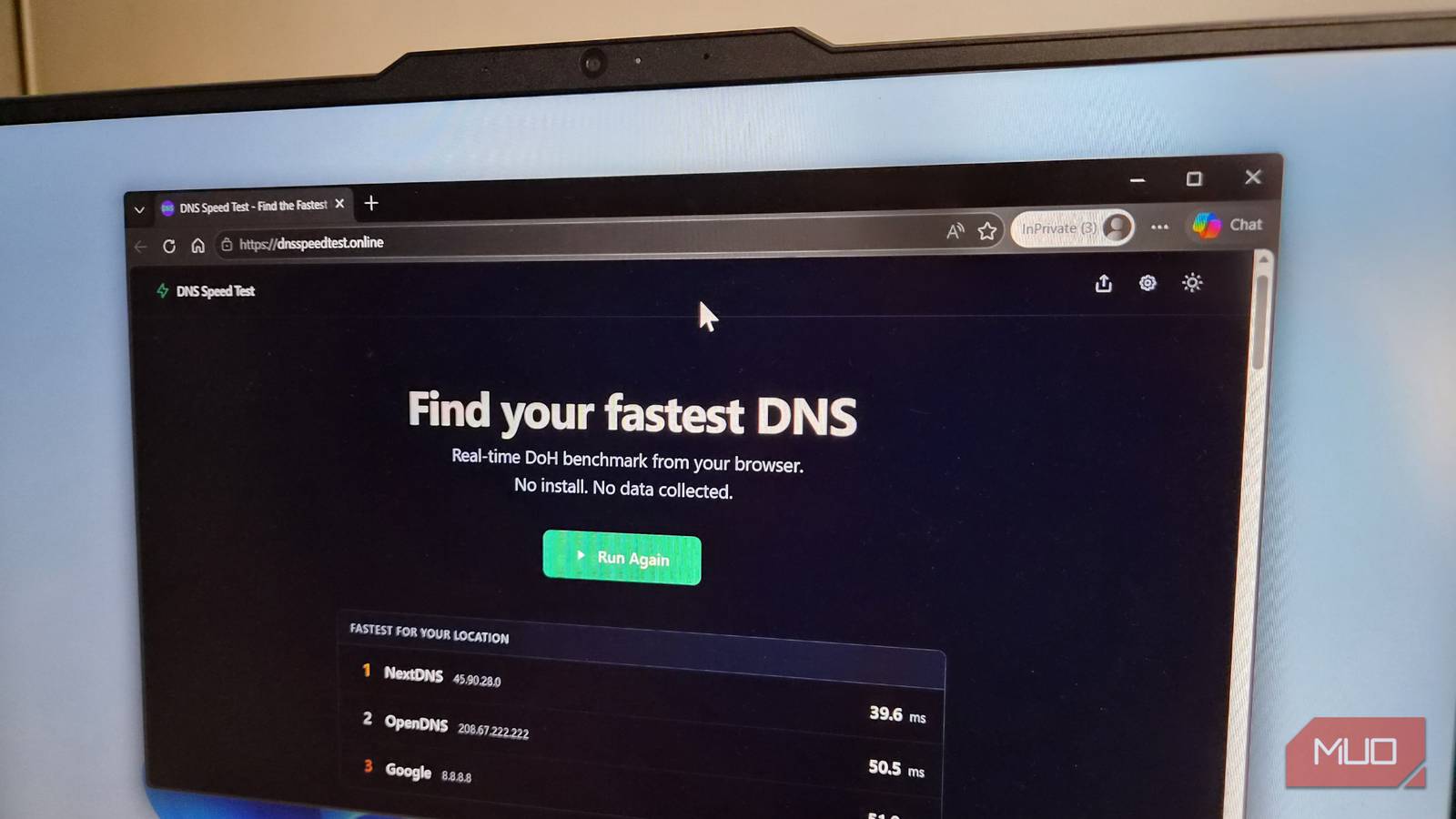
There's no shortage of DNS benchmarking tools, but most of them either require installation or output confusing raw data. That's why I use the DNS Speed Test tool—a free, browser-based application that tests popular DNS servers from your current network without installing anything.
It works by sending several DNS queries to each server, measuring response times. It includes a warm-up phase to eliminate initial cache effects, ensuring results reflect real-world performance. The entire test runs in under 30 seconds, and upon completion, it displays the top three DNS providers for your connection. You can then view detailed statistics: minimum, maximum, median, and average response times for each server. This helps you pick not just the fastest, but also the most consistent option.
For best results, run the test at different times of the day to account for network congestion. Additionally, the tool allows you to customize the list of queried domains. By default, it tests popular sites like Google, YouTube, ChatGPT, and Reddit—sites that many DNS providers cache aggressively. To get a true picture of your browsing experience, replace those with the domains you actually visit most often, such as your work email server, social media platforms, or favorite news sites.
Speed Isn't the Only Thing to Look for When Picking a DNS
While speed is important, it shouldn't be your only criterion. Many third-party DNS servers offer additional features that can enhance privacy, security, and convenience. For example, Quad9 checks every request against threat intelligence feeds and blocks access to known malicious domains. It also adheres to a strict no-logging policy, so it won't track what you do.
Cloudflare's 1.1.1.1 is built around privacy, promising never to write query logs to disk and only keeping minimal, anonymized data for operational purposes. NextDNS provides a customizable dashboard where you can see blocked queries, monitor tracker attempts, and fine-tune filtering rules. It offers a free tier with a limited number of queries, after which it stops working unless you upgrade.
AdGuard DNS is popular for its built-in ad and tracker blocking, which can speed up page loads by filtering out unwanted content at the network level. CleanBrowsing is designed for families, offering filters that block adult content and enforce SafeSearch across Google and YouTube. Some DNS providers, like ControlD, allow you to create custom blocklists and even unblock certain services like streaming platforms based on your region.
Before committing to a DNS provider, evaluate what features matter most to you. If security is your top priority, Quad9 or Cloudflare are excellent choices. If you want ad blocking without installing browser extensions, AdGuard is a no-brainer. For granular control and analytics, NextDNS or ControlD give you more power. Remember, not all DNS services are free—some have usage limits or require payment for full access.
Another factor to consider is encryption. Some DNS providers support DNS-over-HTTPS (DoH) or DNS-over-TLS (DoT), which encrypt your queries and prevent snooping by your ISP or other third parties. If privacy is essential, look for a provider that offers encrypted DNS and configure your devices or router to use it.
Finally, test multiple providers over several days to see which one maintains consistent performance. A DNS server that's fast at 2 PM might be slower at 8 PM when your network is under heavier load. By running the DNS Speed Test tool at different times, you can identify a provider that stays reliable throughout the day.
Once you've identified your top candidates, make the switch. Change the DNS settings on your router to affect all devices on your network, or adjust settings individually on your computers, phones, and tablets. If you want to try before committing, many providers offer step-by-step guides for setting up their DNS on various operating systems.
In my case, after running the tests, I found that Quad9 was consistently faster than Cloudflare and more secure than Google DNS. I also valued its no-logs policy. The switch took less than five minutes, and I immediately noticed a slight improvement in page load times and a reduction in annoying ads.
Finding the best DNS for your connection doesn't have to be a complicated process. With a free browser-based tool that completes in under 30 seconds, you can quickly identify the fastest server for your network. Then, by factoring in additional features like privacy, security, and content filtering, you can choose a provider that meets all your needs. Take the time to test and compare—you'll likely find that the DNS you've been using isn't the best one for you.
Source:MakeUseOf News