

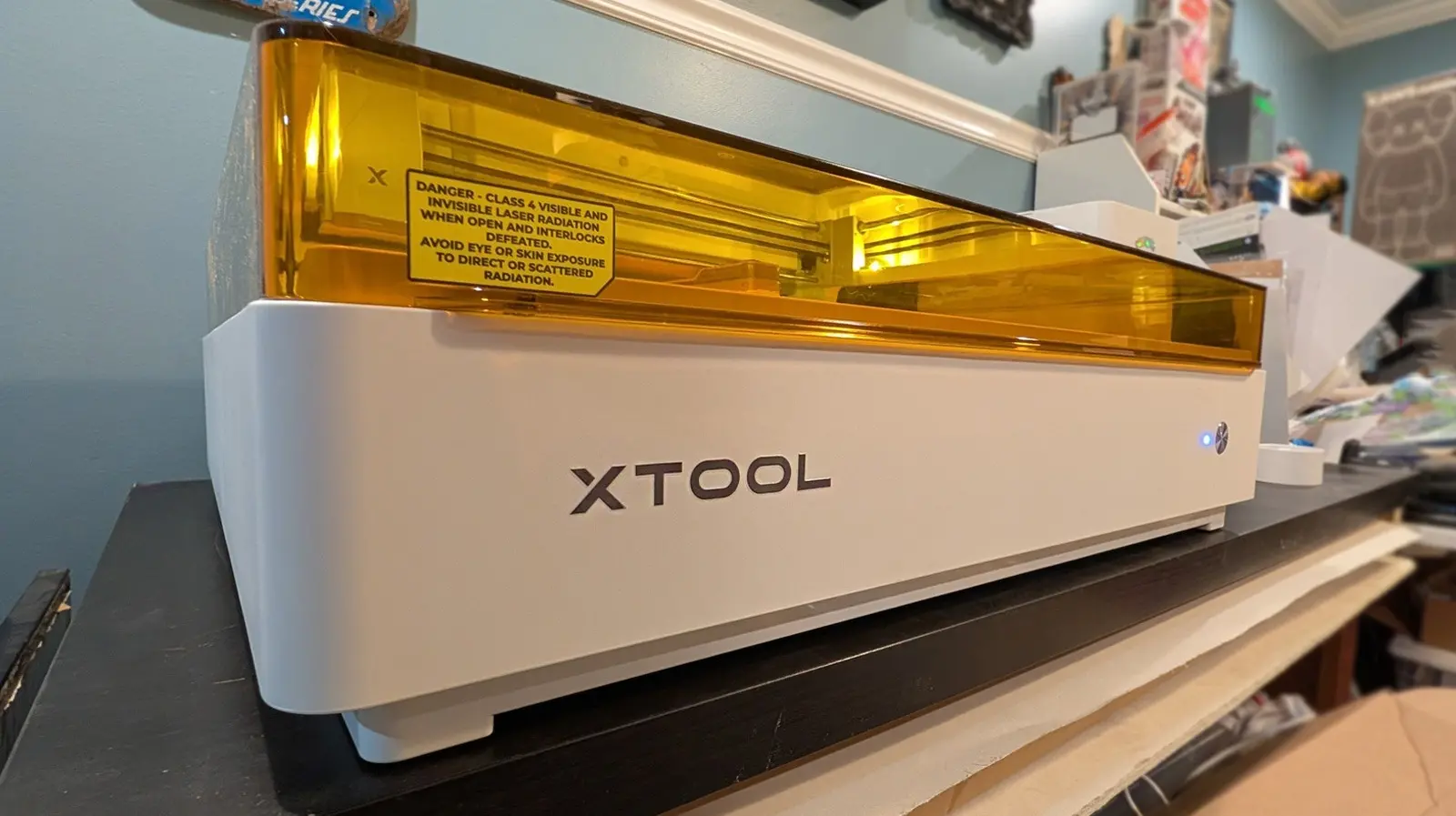
The xTool M2 is a versatile creative tool that integrates laser cutting and inkjet printing into a single compact device. Designed for hobbyists and small-scale creators, it aims to address one of the most persistent frustrations of desktop DIY gadgets: the ever-shrinking workspace. Every new machine added to a desk or workbench consumes precious real estate, and the xTool M2 promises to alleviate that by combining multiple functions in one footprint.
Released in 2026 as the successor to the xTool M1 Ultra (which debuted in 2024), the M2 represents an evolution in modular creative machines. The M1 Ultra was a more expensive and slightly more versatile device, offering not only laser and inkjet modules but also pen, foil, and blade tools. The M2, by contrast, focuses on a simpler magnetic attachment system that supports laser and inkjet modules, but cannot handle tools that require physical pressure on materials.
Space-Saving and Physical Dimensions
The most immediate selling point of the xTool M2 is its claim to save desk space. Both the M1 Ultra and M2 occupy roughly the same area: the M1 Ultra measures 24.4 x 19.6 inches, while the M2 is 24 x 22.4 inches. The internal processing area of the M2 is slightly larger at 16.7 x 12.5 inches, compared to the M1 Ultra's 11.8 x 11.8 inches. This means the M2 can handle larger projects without expanding the machine's overall footprint significantly.
If a user previously had a separate laser cutter and an inkjet printer for materials like wood, acrylic, or cardstock, replacing them with a single M2 (or M1 Ultra) reduces the required desk space by at least 50%. For small workshops or kitchen-table creators, this consolidation is a genuine benefit. However, the machine is still large enough to dominate a typical desk, so it is not a miracle solution—just a step in the right direction.
Modular Design and Module Limitations
The xTool M2 employs a magnetic quick-swap system for its modules. Changing from a laser to a printer requires unplugging a USB-C cable, removing one magnetically attached module, and attaching another. This process is fast and intuitive, making it easy to switch between tasks. However, the magnetic attachment cannot support modules that require downward pressure, such as pens, foil transfer tips, or drag knives. Users who need those functions must look to the older M1 Ultra, which uses a different clamping system.
As of its launch, the M2 is available with a 10W blue diode laser module in the base package. Bundles may include a 20W blue diode laser or a 3W IR laser (still in development). The 10W laser performs admirably for cutting and engraving on materials like wood, leather, paper, and some plastics. Test cuts are clean, and the engraving quality is consistent. For most hobbyist applications, the 10W laser provides sufficient power.
The inkjet printing module uses a proprietary 40ml CMYK ink cartridge, which is larger than the 15ml cartridge in the M1 Ultra. This module prints on a variety of flat surfaces: paper, cardstock, temporary tattoo paper, and even pre-treated wood, canvas, glass, acrylic, and satin fabric. However, the prints are water-soluble, so fabric items cannot be washed. The software does not provide fine-grained color controls, so it is not suitable for museum-quality photo reproduction. For simple labels, art prints, or craft projects, the output is acceptable.
Comparison with Alternatives
The xTool M2 competes directly with the Glowforge Aura and other desktop laser cutters that offer some printing capabilities. However, the Glowforge requires a constant internet connection because its software runs in the cloud. xTool's xTool Studio software is a desktop application that works offline, giving users more control and privacy. This is a significant advantage for those who work in environments with unreliable internet or prefer local processing.
For users who only need a laser cutter, the xTool F2 is a more portable and less expensive option. It features an open-bottom design that allows cutting on large surfaces. At the high end, xTool's P-series machines offer professional-grade laser capabilities for several thousand dollars. The M2 sits in the middle, aiming to serve as a multipurpose tool for creators who want both laser cutting and printing without buying two separate machines.
Software and User Experience
xTool Studio is the primary software for controlling the M2. It supports design import from SVG, PNG, DXF, and other common formats, and includes basic editing tools for resizing, layering, and applying settings for different materials. The interface is organized and intuitive, with presets for common materials that adjust speed, power, and passes automatically. Users can also manually override these settings for custom projects.
The software does not require an internet connection to operate, which is a stark contrast to cloud-based competitors. This reliability is appreciated by users who have experienced network outages during long cuts. Additionally, xTool Studio is compatible with both Windows and macOS, and it receives regular updates with new features and material profiles.
Longevity and Ecosystem Considerations
The xTool M2 is sold at approximately $600 for the base 10W laser package, and $700 for the bundle that includes the ink module. The older M1 Ultra costs around $900 and includes a broader range of tools (pen, foil, blades). However, as of mid-2026, the M1 Ultra appears to be nearing the end of its lifecycle; its 20W laser module is sold out, and xTool is likely to phase out support. This makes the M2 a more future-proof investment, despite its more limited module compatibility.
A major drawback of the M2's modular system is that each module only works with the specific generation of hardware. Users cannot use M1 Ultra modules on the M2, and vice versa. If xTool releases a future “Ultra” version of the M2, existing modules may not be cross-compatible. This limits the long-term value proposition for users who want to expand their system over time.
For creators committed to a single brand ecosystem, the M2 is a sensible choice if laser cutting and inkjet printing are their primary needs. Those who require drawing, cutting, or foil transfer should consider either the M1 Ultra (while still available) or wait for a potential successor that combines all features.
Practical Testing Results
In hands-on tests, the 10W laser module consistently produced clean cuts in 3mm plywood and engraved detailed designs in leather with minimal charring. The print module produced vibrant colors on glossy cardstock, though fine text sometimes appeared slightly blurred due to the inkjet head's resolution. Pre-treating surfaces like wood and glass improved ink adhesion, but the prints remained water-soluble, so they are best for indoor display items.
The magnetic module swap takes about 10 seconds, making it feasible to switch between cutting and printing mid-project. However, the ink module requires a purge cycle after installation to clear air from the print head, consuming a small amount of ink. Users should plan their workflow to minimize waste.
Is the xTool M2 the Right Choice?
The xTool M2 does not completely solve the problem of vanishing desk space in a workshop, but it offers a credible partial solution by combining two common functions into one device. Its ease of use, offline software, and reasonable price make it appealing for beginners and intermediate creators. The major trade-off is the lack of pressure-based tools, which limits its versatility compared to the older M1 Ultra. As the M1 Ultra fades from the market, the M2 stands as the current representative of xTool's vision for space-saving, multifunctional creativity. Whether it goes far enough depends on how much weight a user places on modular expansion versus immediate functionality. For now, the M2 is a solid step forward, but it leaves room for a future device that truly unifies all tools in one ecosystem.
Source:SlashGear News