

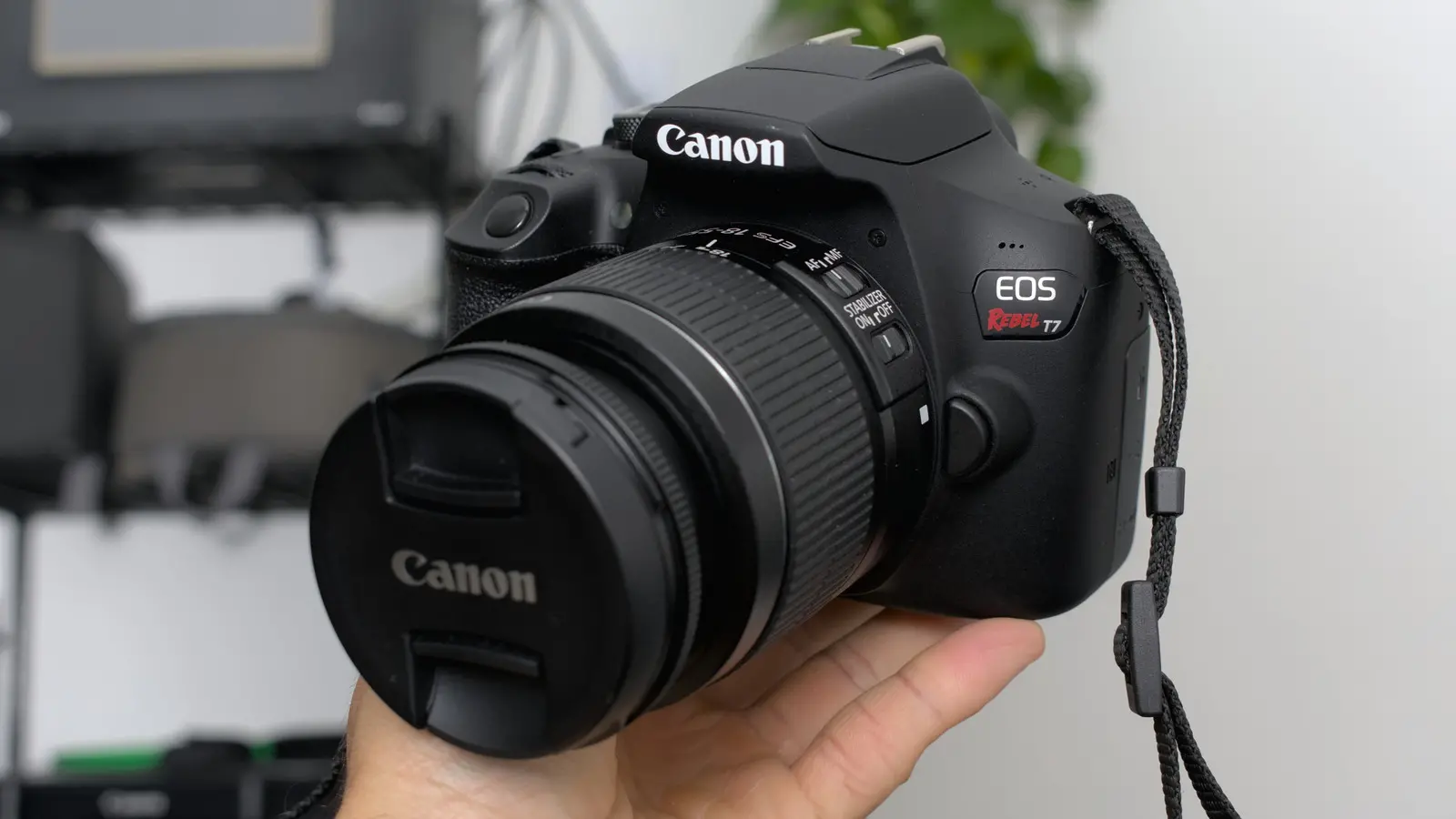
Whether photography is a hobby or a profession, there is always something exciting about working with camera equipment. Even beginner-friendly mirrorless cameras have become more affordable, yet the overall cost of building a versatile kit can still run deep. Lenses, in particular, are expensive pieces of precision glass, and any damage to them can be financially painful. A single drop may result in repair bills that cost hundreds or even thousands of dollars. Over time, even careful use leads to wear and tear, which can affect both appearance and image quality.
Cameras and lenses are sensitive to temperature shifts, moisture, dust, and impact. To keep them in top condition, you need a combination of good habits and the right accessories. Based on years of hands-on experience with camera gear, here are four things that can make a significant difference in extending the life of your equipment.
Camera and Lens Cleaning Kits
Camera lenses are essentially expensive pieces of glass stacked together, and glass is one of the easiest materials to smudge. It can be tempting to grab the nearest cloth and wipe away dirt or fingerprints, but that is a terrible idea. Most modern lenses have decent scratch resistance, but it is not worth the risk. Abrasive fabrics can leave micro-scratches that reduce contrast and sharpness. Worse, particles of grit on a cloth can act like sandpaper against the lens coating.
A proper cleaning kit is an essential investment. You do not need the most expensive set, but it should include a blower, a soft brush, and a microfiber cloth. An alcohol-based cleaning solution is also recommended for removing stubborn smudges. The best approach is to begin with the blower or brush to remove visible dust particles. This prevents scratching when you later wipe the surface. Then, apply a small amount of cleaning solution to the microfiber cloth—not directly to the lens—and wipe gently in a circular motion, starting from the center and moving outward. This method ensures an even clean and helps avoid smearing.
Your camera body also needs periodic cleaning. When you swap lenses, dust can enter the chamber and settle on the sensor. This often appears as dark spots in your images, especially at narrow apertures. A blower is useful for removing loose dust from the sensor, but you must be careful. Many cameras have a sensor cleaning mode that lifts the shutter and locks the mirror, allowing safe access. If you are unsure, consult the manual or a professional. Also, do not clean the sensor too often. Over-cleaning can wear out the delicate low-pass filter or introduce static that attracts more dust. A balance is key.
Proper Storage Solutions
Humidity is one of the biggest enemies of camera equipment. Excess moisture can lead to the buildup of condensation inside lenses, which can encourage fungus growth on the glass elements. Fungus can permanently etch the lens coatings and ruin image quality. Moisture can also corrode the electronics and circuitry of the camera body. Even in moderately humid environments, leaving your gear in a damp bag or closet can cause long-term damage.
After using your equipment in humid conditions, wipe it down with a dry cloth before storing it. Avoid leaving lenses and cameras in places that are prone to dampness, such as basements or garages. A simple solution is to store your gear in a room with a dehumidifier. This helps maintain a stable relative humidity level, which is usually safe for camera equipment.
For more serious protection, consider investing in a dry cabinet. These cabinets are designed specifically for cameras and lenses. They use temperature and moisture sensors to automatically regulate humidity. You can find models in various sizes, from small cabinets that hold a single camera body and a couple of lenses to larger units for extensive collections. Prices vary, but the peace of mind is worth it, especially if you live in a humid climate or plan to store gear for long periods.
Proper storage also applies when you are on the move. Throwing your camera into a regular backpack full of other items is asking for trouble. Cameras and lenses have many moving parts, and impacts can knock them out of alignment. A dedicated camera bag with padded dividers is a much safer choice. Many good options exist, including backpacks that have customizable compartments. These bags provide cushioning and allow you to organize your gear neatly. If a full camera bag is too much, a padded pouch or insert can offer basic protection inside a larger bag. The key is to ensure that the camera and lenses do not knock against each other or hard objects.
Filters for Your Lenses
When buying a lens, you consider aperture, focal length, and size. But the protection and functionality of your lens can be greatly enhanced with filters. In bright conditions, you might find yourself lowering the ISO or increasing shutter speed to reduce light entering the camera. While these settings can help, they also have drawbacks. Low ISO is fine for stills, but for video, you often need to maintain a certain shutter speed for natural motion blur. This is where ND filters come in.
An ND filter is a piece of darkened glass that screws onto the front of your lens. It reduces the amount of light without affecting color. This allows you to use wider apertures or slower shutter speeds even in bright sunlight. ND filters are essential for videographers who want cinematic motion blur or shallow depth of field outdoors. Variable ND filters offer adjustable density, so you can quickly change the amount of light reduction without carrying multiple filters.
UV filters have a different purpose. Originally, they were used to block ultraviolet light, which could create hazy images on film. With digital cameras, UV filters are less necessary for image quality, but they remain useful as physical protection. A UV filter acts as a sacrificial layer of glass over your expensive lens. If you drop the lens or scrape it against a hard surface, the filter may break or scratch while the lens underneath remains safe. This is a much cheaper replacement than a lens repair. Some photographers argue that adding an extra layer of glass can increase flare or reduce sharpness, but high-quality filters are coated and barely affect image quality.
Beyond filters, there are other simple protective accessories. A screen protector for your camera's LCD can prevent scratches from daily use. Lens caps and rear caps should always be used when lenses are not mounted. A lens hood also provides shade and helps block stray light, while offering some physical protection if the lens hits an object. These small items add up to significant protection over time.
Good Quality Batteries and Chargers
One of the most frustrating aspects of camera use is battery life. It always seems to run out at the worst moment. Many photographers buy spare batteries to swap in between shoots. The market is flooded with cheap, third-party batteries that closely resemble official ones. While these may work initially, they are not always reliable. Some third-party batteries have lower capacity, shorter lifespan, or even safety issues. Sticking with official accessories is the wiser choice. Genuine batteries are designed to match the camera's power management system, and they are tested for quality and safety.
Battery care is also crucial. If you do not use your camera frequently, remove the battery and store it separately. This prevents slow discharge, which can deplete the cell and reduce its overall health over time. Batteries should be stored in a cool, dry place, away from direct sunlight and heat. Extreme temperatures can damage the cells and shorten their life. As a general rule, charge your batteries to about 50% if you plan to store them for a long period. Full charge and full discharge are both stressful for lithium-ion cells. Manufacturers like Nikon recommend charging and discharging your batteries once every six months to keep them in optimal condition.
When charging, avoid leaving the charger plugged in after the battery is fully charged. Modern chargers have overcharge protection, but it is still good practice to unplug once charging is complete. This reduces unnecessary heat and wear. If you use your camera for long sessions, such as live streaming or time-lapse photography, consider a dummy battery. This is a device that fits into the battery compartment and connects to an AC adapter, supplying direct power to the camera. It eliminates the worry of battery drain and is a reliable solution for studio work.
By following these four practices—using proper cleaning kits, storing your gear correctly, adding protective filters, and choosing quality batteries—you can greatly extend the lifespan of your camera and lenses. Each of these simple steps helps protect your investment and ensures that your equipment continues to deliver high-quality results for many years.
Source:SlashGear News